
 Image 1 of 1
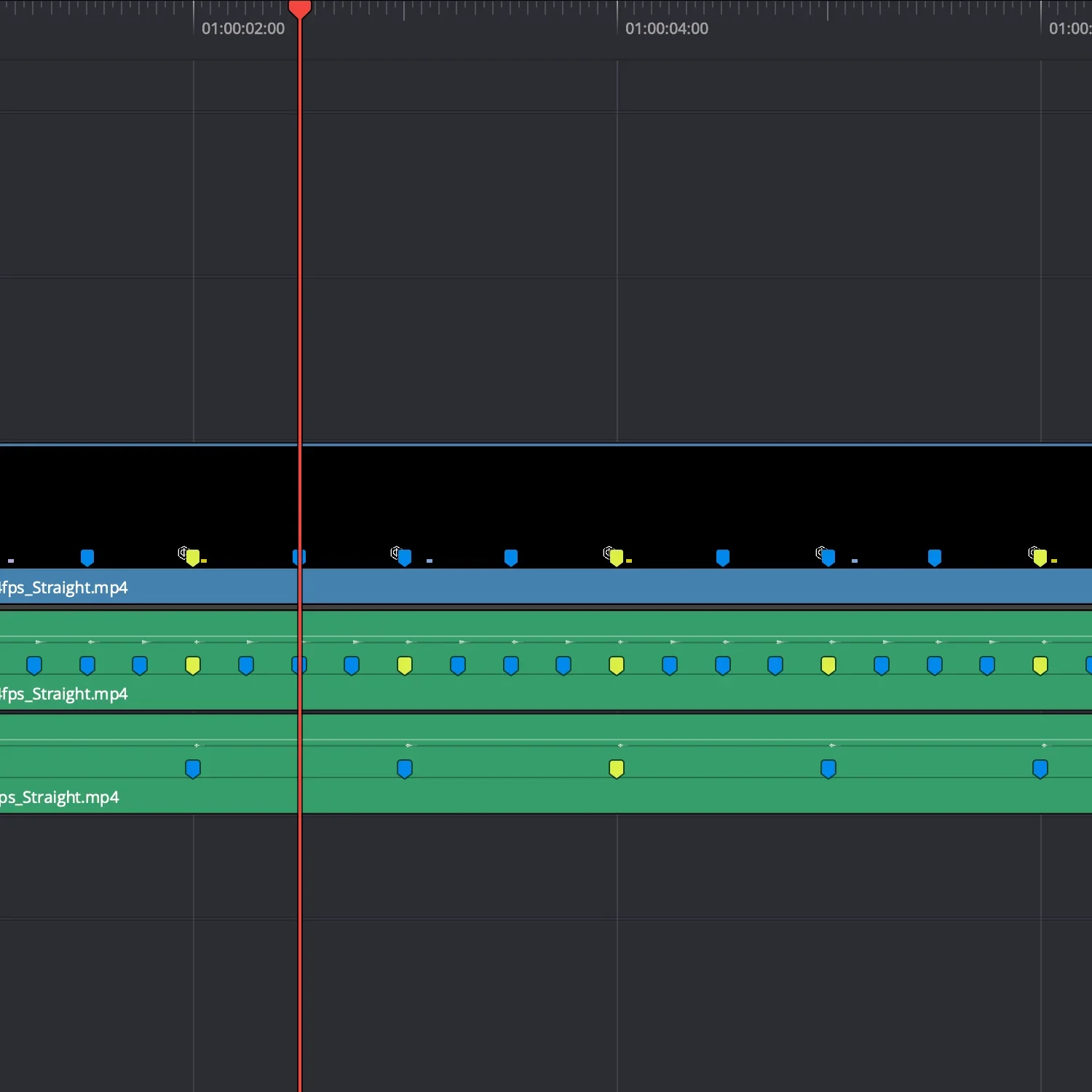
See how cuts snap into place
Use it to cut to or against. First pass, everything is structured. Second pass, break the structure to add identity.
Drop the marker files onto your timeline and start cutting.
No nudging. No guessing. Just cut on the markers.
-
Each guide is a frame-accurate timing layer generated by the ClearCue engine.
Place it in your timeline and cut to the pulses.
Works in any editor that supports video layers.
-
Straight timing guides (4/4)
BPM options: 60 / 120 / 240
Frame rates: 24 / 25 / 30 / 60 fps
Quick start guide
-
Music-driven edits
Dialogue pacing
Clean rhythmic cutting
Base timing structure
-
In DaVinci Resolve, markers are embedded directly.
In other editors, align cuts to the guide’s pulses.
Works with:
DaVinci Resolve (recommended)
Premiere Pro
Final Cut Pro
CapCut
About ClearCue Markers:
These are frame-accurate marker structures you can use immediately.
Built for speed - no manual marker placement.
No setup. No adjustment.
More control?
Build your own marker patterns with the ClearCue Engine.
-
You receive a set of frame-accurate timing guides as video files, along with multiple BPM and frame-rate versions, a quick-start guide, and an example edit.
-
Place the guide on a track in your timeline and follow the visual pulses to position cuts, transitions, or motion.
-
Designed for Resolve (Recommended)
The guides work in any video editor that supports video layers, including DaVinci Resolve, Premiere Pro, Final Cut Pro, and CapCut.
-
No. The kits are ready-to-use timing structures. The engine is only needed if you want to generate your own custom timing systems.
-
Kits are pre-generated timing structures.
The engine allows you to create your own using tempo, meter, and pattern.
-
Markers are embedded directly in the timing guides, so you can edit using markers and visual pulses together.
-
Markers can be added by aligning to the guide’s audio transients, or you can edit directly using the visual pulses.
-
Yes. The guides sit above your footage and do not affect your media.
-
No. Each kit is a timing structure. You are using it as a guide, not applying an effect.
-
Yes. Guides can be layered or switched within a timeline to create more complex pacing structures.
-
No. Timing can be designed before adding music, or used to refine pacing after.
-
Each kit is a fixed set of timing structures. New timing systems are released as separate elements.