
See rhythm. Cut with structure.
ClearCue generates frame-accurate timing guides from tempo and meter — so edits lock to structure, not waveform spikes. Drop it into an existing timeline and feel it in minutes.
What ClearCue actually does
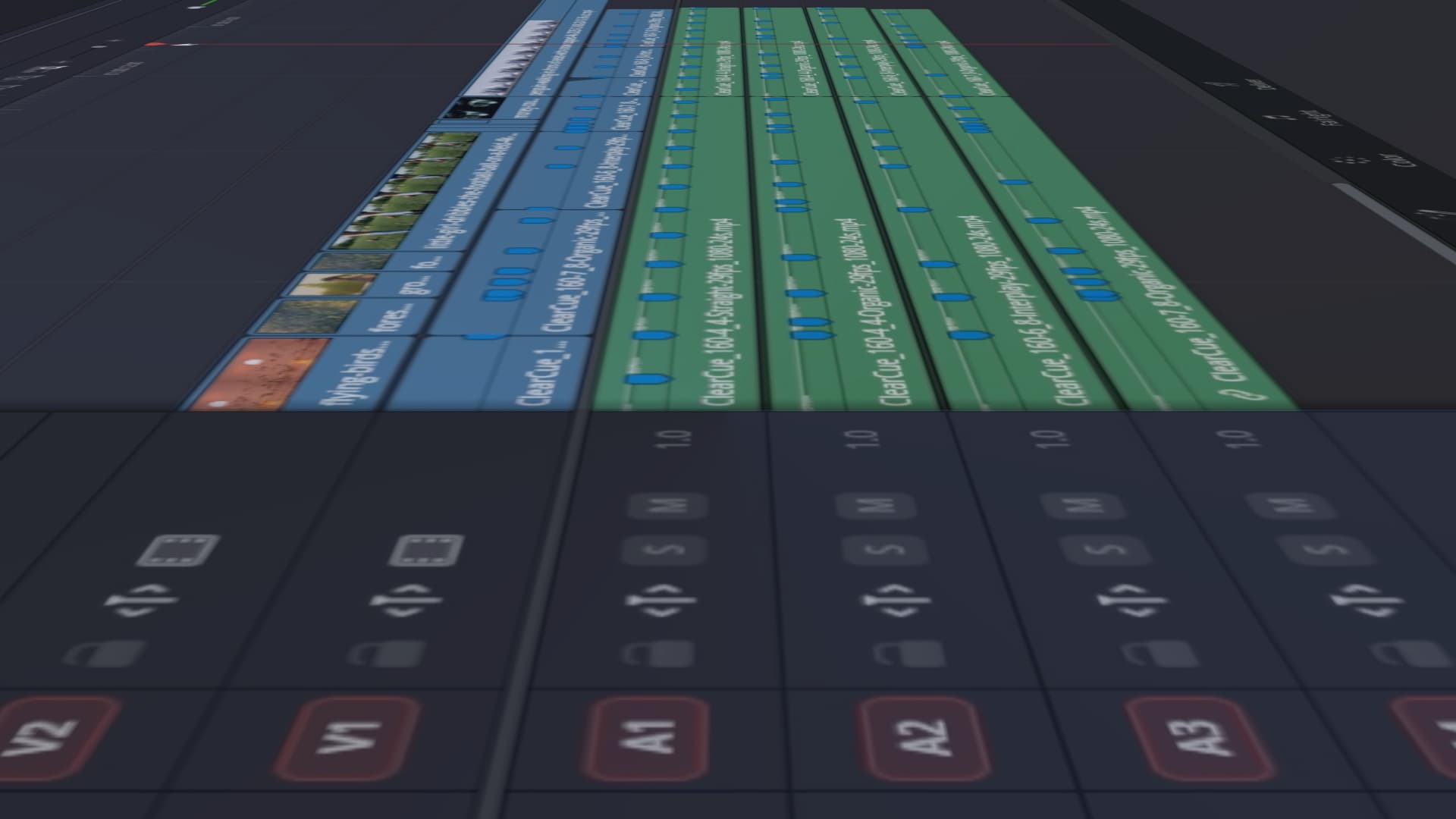
ClearCue generates a timing video file you drop into your timeline.
It renders beats, phrases and structural intervals as visible timing events.
You cut against structure - not waveform guesses.
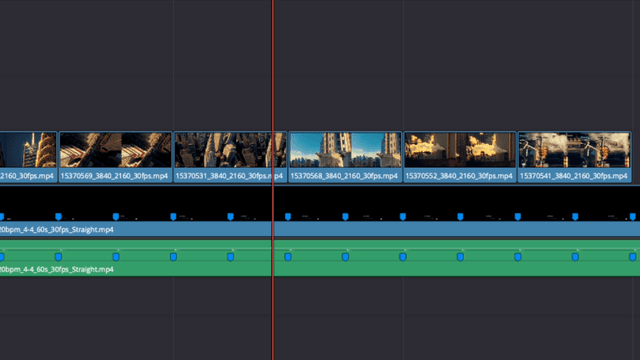
Structure first. Music second.
Design timing and pacing so music becomes an extra dimension, not the spine. Timelines hold even when the music changes.
Frame-accurate timing control
Frame-accurate timing you can shape, reuse, and adapt to any edit — with or without music.
Clear timing, without automation
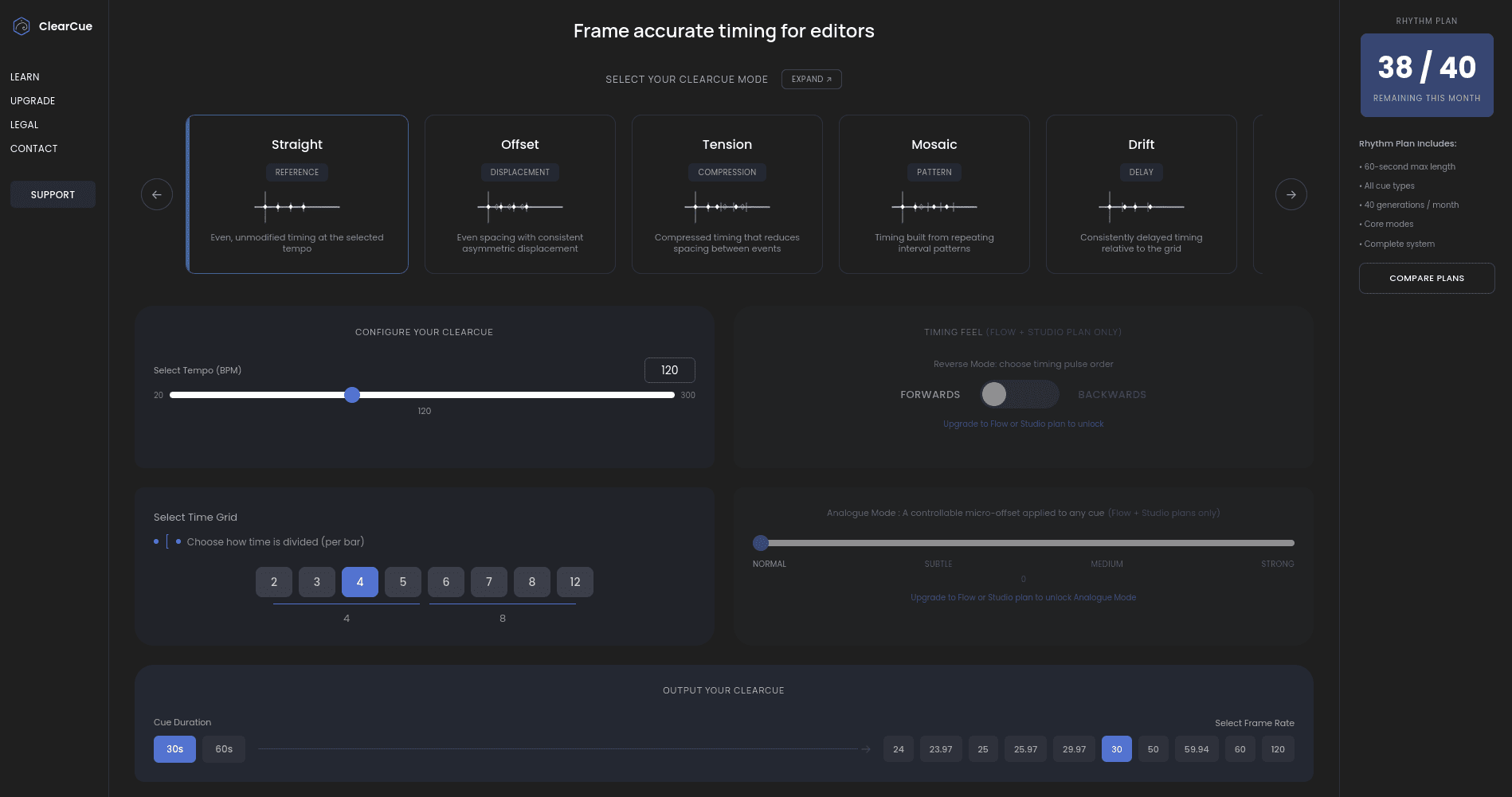
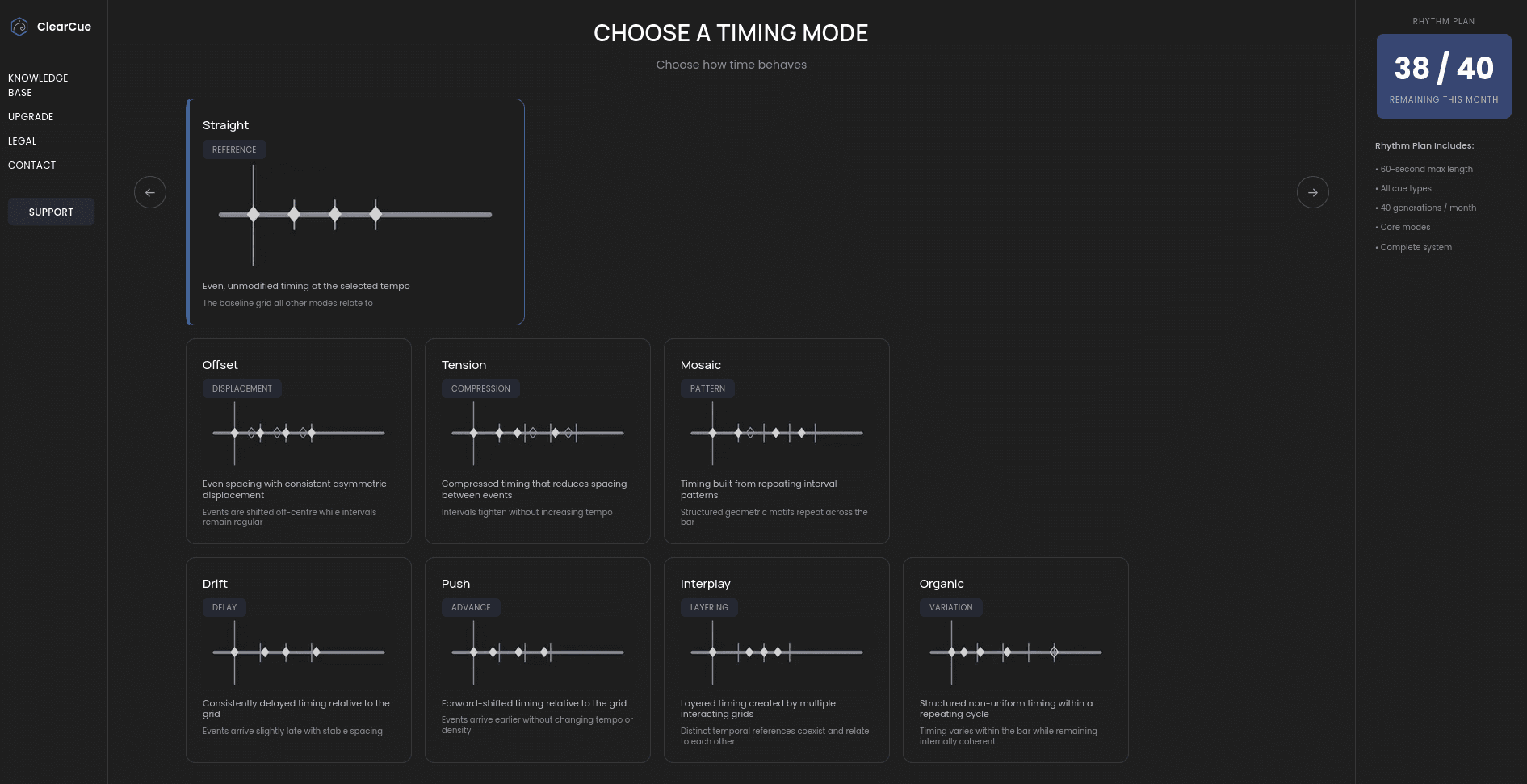
ClearCue™ reveals the structure of time before music enters the edit. It’s a configurable ruler for pace and movement — precise, durable, and independent of any track.
Nothing decides for you.
Totally customisable
Create simple or complex timing patterns, rendered as a visibly structured video file. Always frame-accurate.
Works before music
Because timing is set first, pacing holds through track changes, tempo swaps, and revisions.
See timing patterns in the timeline
No setup. No plugins. Drop it in.
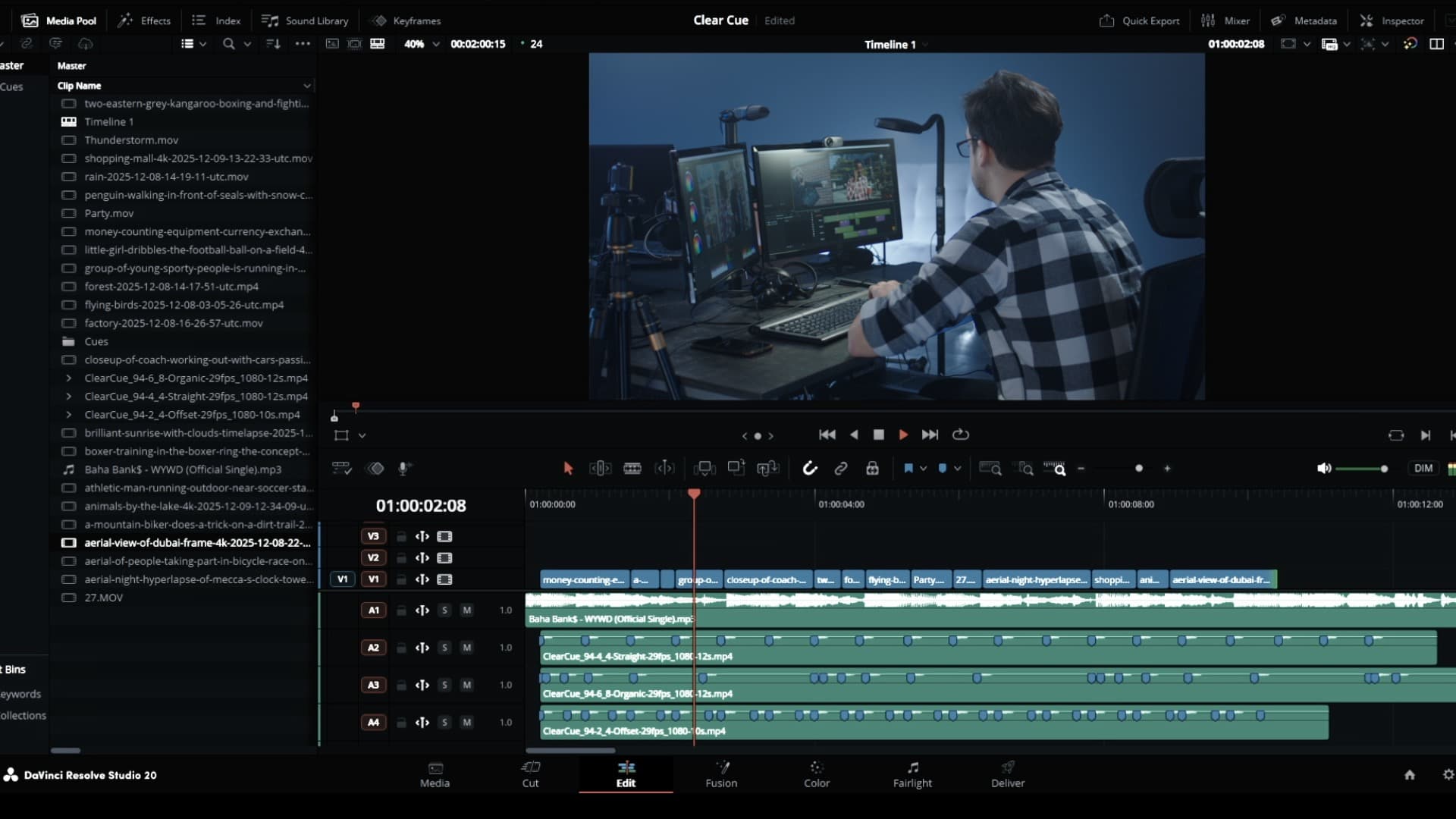
Modular by design
Duplicate blocks, stack tempos,
phrases, and work in sections.
Work with multiple structures at once
Layer timing references
Run multiple timing modes simultaneously — bars, beats, phrases — without committing to one.
Stack without recalculating
Add or remove layers freely. Nothing collapses when you change direction.
See overlap, not sequence
Structure runs alongside instinct — it doesn’t replace it.
Hold structure lightly
Use as much or as little reference as you want, at any moment.
ClearCue™ generates a timing video file. Delete it, bring it back, duplicate it, mute it, trim it — it behaves like any other clip. It’s like a pacing meter.
Principles
No AI
No automation
No lock-in
Works alongside instinct
Compatibility
Designed and tested primarily in DaVinci Resolve ( Markers) . Compatible with Final Cut Pro, Premiere Pro, and other NLEs via media clips ( No Markers ).
No trials. No lock-in. Cancel anytime. Files are yours. Pricing →